Recent large‑scale testing found that almost 95% of public‑facing PDFs fail basic accessibility checks, creating barriers for disabled users and legal risk for organisations.
PDFs are everywhere in business communication, as they preserve formatting and are easy to share across teams and platforms. However, an important question many businesses overlook is whether their PDFs are accessible to everyone who needs to use them.
Accessible PDFs make sure that a wide range of people, including those who use assistive technologies like screen readers, can access and understand your content too.
Alongside accessibility, you’ll also need to consider factors like legal compliance, user experience and brand reputation. In this guide, we’ll explain what accessible PDFs are, why they matter for businesses and some next steps you can take.
Firstly, what exactly is an accessible PDF?
An accessible PDF is a document designed so that all users can navigate and interact with the content, regardless of disability or the technology they use.
If a document is properly structured, the screen reader can identify headings, read paragraphs in the correct order, describe images and allow the user to navigate the document efficiently.
Without accessibility features, however, a screen reader may interpret the PDF as a random block of text or not recognise the content at all.
Accessible PDFs include elements such as:
- Logical reading order
- Tagged headings and structure
- Alternative text for images
- Properly labelled links
- Accessible tables
- Selectable, searchable text (not just images of text)
Why businesses need accessible PDFs
1. Legal and regulatory compliance
In many countries, governments and regulatory bodies are introducing legislation that requires digital content to be accessible.
For example, the European Accessibility Act (EAA), requires many digital products and services (including PDF documents) to be accessible.
Therefore, it’s important for organisations operating internationally or serving EU markets must ensure their content meets the relevant accessibility standards.
2. Reaching a wider audience
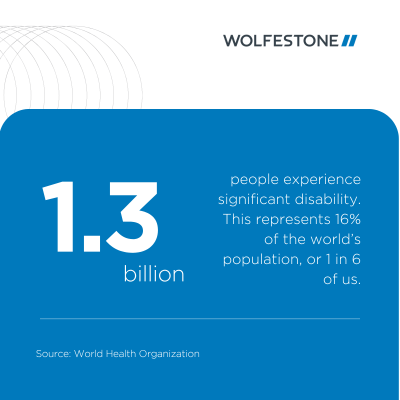
According to the World Health Organization, around 1.3 billion people globally live with some form of disability. That represents a significant portion of the global population.
Basically, if your documents are not accessible, many potential customers, partners or employees may have trouble engaging with your content – meaning you’re excluding a large percentage of the population.
Businesses should aim to reach as wide an audience as possible.
3. Better user experience for everyone
It’s worth reminding ourselves that accessibility improvements benefit all users, not just those with disabilities.
For example:
- Clear document structure makes content easier to navigate
- Tagged headings improve readability
- Properly labelled links provide clarity
- Selectable text allows users to copy and search information
Common accessibility issues in PDFs
A lot of the time PDFs are unintentionally inaccessible because they are created without accessibility in mind.
Some of the most common issues include:
- Missing document tags – without tags, assistive technologies cannot interpret structure.
- Images without alternative text – screen readers cannot describe visual content.
- Scanned documents – scanned PDFs are often just images, meaning the text cannot be read by assistive tools.
- Incorrect reading order – content may be read in a confusing sequence.
- Unlabelled form fields – making forms difficult to complete using assistive technology.
Best practices for creating accessible PDFs
Here are a few practical steps to improve PDF accessibility.
Use correct tagging
PDF tags define the structure of the document, such as headings, paragraphs, lists and tables. These tags allow assistive technologies to interpret the document correctly.
Tagging ensures that users can navigate through sections quickly rather than reading the entire document line by line.
Ensure text is searchable
Text in a PDF must be machine readable.
If your document is a scanned image, it should be processed using optical character recognition (OCR), so the text becomes selectable and readable by assistive technologies.
Add alternative text to images
Alternative text (alt text) provides a description of images so that users who cannot see them can still understand their meaning.
Alt text should be concise but descriptive, explaining the purpose of the image rather than simply describing its appearance.
Test your PDFs
Accessibility can always be verified through testing.
Many tools can check PDFs for accessibility issues, including built-in accessibility checkers in common document software.
Manual testing with screen readers or keyboard navigation can also help ensure that documents function as intended.
Making accessibility part of your content strategy
By adopting accessible design practices and reviewing existing materials, businesses can do these 4 things:
- Improve usability
- Meet regulatory requirements
- Reach wider audiences
- Demonstrate a commitment to inclusion
Need support with accessible documentation or multilingual content? Wolfestone helps organisations ensure their digital content is both accessible and ready for global audiences.
Contact us today for a free consultation or quote and explore how our services can support your accessibility obligations.